Start With Two Finished Wash Stations
Before rolling out a row of faucets, test two neighboring positions with the actual basins, counter, lighting and dispensers installed. Have someone wash at the first basin while a second person walks past and the second basin is empty. Check that water starts where a user expects it, stops after use and stays off at the empty basin. Repeat in the other direction. The comparison tells you more about the layout than an installer waving a hand under a faucet on the bench.
Pick a test position that reflects the installation. A mirror close to the spout, a wet polished basin or a dispenser moved between stations can change the conditions. Photograph the setup and log what was dry or wet, which lights were on and whether anyone was at the second basin. The same model and setting can be evaluated again after an agreed change.
Put the Exact Model and Its Setting on the Test Sheet
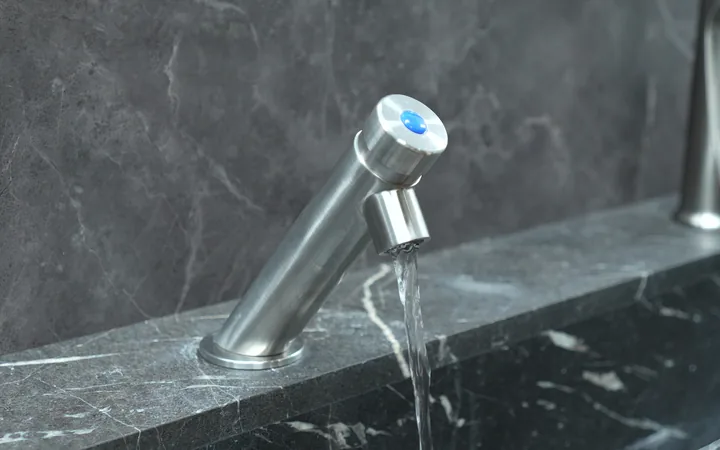
Take the Bestware HMSTB as one example. It is a battery-powered, single-cold, deck-mounted faucet for a Ø32–35 mm mounting hole. The companion HMSTM uses mains power. The HMSTB product page lists an adjustable sensing distance of 3–20 cm and a factory default range of 5–18 cm. The shared V1.0 manual illustrates operation with a hand 13 cm or less from the sensor. Keep those labels separate on the job sheet and record how the delivered unit is set. Reach into the wash area from more than one position when trying it.
The same manual describes shutoff 1 second after hand removal, automatic cutoff after 60 seconds of continuous use and a 5-second self-cleaning flush after 24 hours of inactivity. Ask which programmed functions are in use and record the time if an empty station runs. The sequence may match the listed flush. Review that event separately from water starting when someone walks by.
Write Down Each Trial and What the Faucet Did
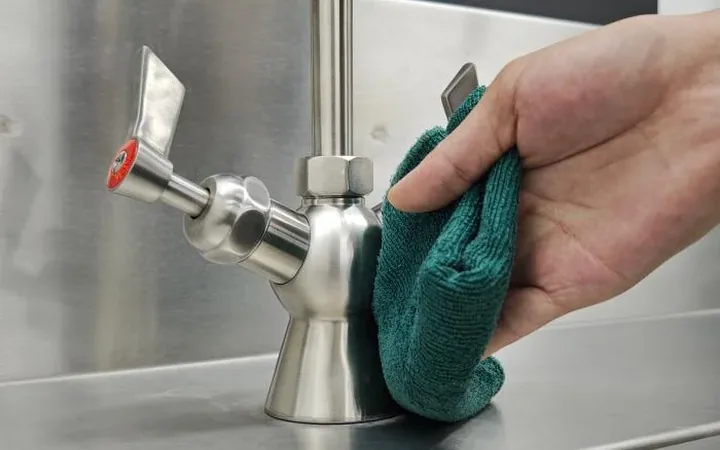
For a first site check, agree the count and acceptable outcomes before the run. A suggested starting protocol is ten handwashing starts per fixture in each selected light or basin condition, then ten neighboring uses and ten ordinary pass-bys while the target basin stays empty. Include a cleaning pass with the cloth and motion normally used. Vary the hand approach between the center and the edges of the normal wash area. Hold the setup steady within each group so you can identify what changed.
On each line record the stimulus, whether water started, which basin ran, and how long water took to stop after hands left. Count missed hand detections and unintended starts separately. If a person is detected but delivery is weak or delayed, check supply and valve operation as a separate fault. These trial counts are a proposed field protocol. Agree limits with the project team and escalate repeated misses or unexpected starts before repeating the setup along the row.
Make Sure the Installer Can Reach the Parts
Have the installer show the shutoff and control box and verify the completed tubing is leak-free and functioning as described in the installation procedure. For HMSTB, check that a technician can reach and remove the battery box without dismantling the wash station. Where the project includes mixed or tempered water, check delivery and temperature under the agreed supply conditions with the hardware specified for that job. Have authorized staff verify power return under the approved service procedure.
On a U.S. project subject to ADA provisions, ask the design team to confirm the approach, reach and operation of the rest of the wash station. A hands-free faucet still sits next to a soap dispenser and other controls users must be able to reach.
Keep the Settings Before Repeating the Installation
Keep a record of model and power version, basin and fixture positions, settings, lighting and outcomes by station. Add who will resolve any issue before the next rooms are fitted. If the basin, dispenser or lighting changes later, bring back the same trial sheet and repeat the affected conditions.
Sources for This Edition
- Bestware HMSTB — Single Cold Sensor Faucet · Specifications, model, deck mount, single cold, Ø32–35 mm hole, battery supply and sensing-distance adjustment range 3–20 cm (factory default 5–18 cm).
- Bestware HMSTB / HMSTM User and Installation Manual — Operation · 2026 V1.0, PDF page 2, printed page 02. The operating diagram shows a hand no more than 13 cm from the sensor. Nominal stop after hand removal 1 s, continuous-use cutoff 60 s, and programmed 5 s self-cleaning flush after 24 h inactivity.
- Bestware HMSTB / HMSTM User and Installation Manual — Fitting and Power · 2026 V1.0, PDF 3–6, print 03–10. HMSTB battery power, HMSTM mains power, Ø32–35 mm deck hole, control box, final leak/function check and HMSTB battery access.
- Bestware — Why Sensor Faucets Sometimes Activate When No One Is Using Them · Sections 1–5 discuss passing people, cleaning, neighboring use, installation position and reflective materials as scenarios to check.
- U.S. Access Board — Lavatories and Sinks · Faucets and Operable Parts, §§606.4, 205 and 309. Address reach and associated controls if U.S. ADA provisions apply, without treating the proposed site test as compliance evidence.
Continue With These Decisions
- Water Dispenser Installation and Handover: What to Sign Off
Log the installed fixtures and service access at handover.
- Replacing a Commercial Tap? Measure the Existing Counter First
Measure the bare opening if you are keeping the counter.